🏢 Corporate Projects
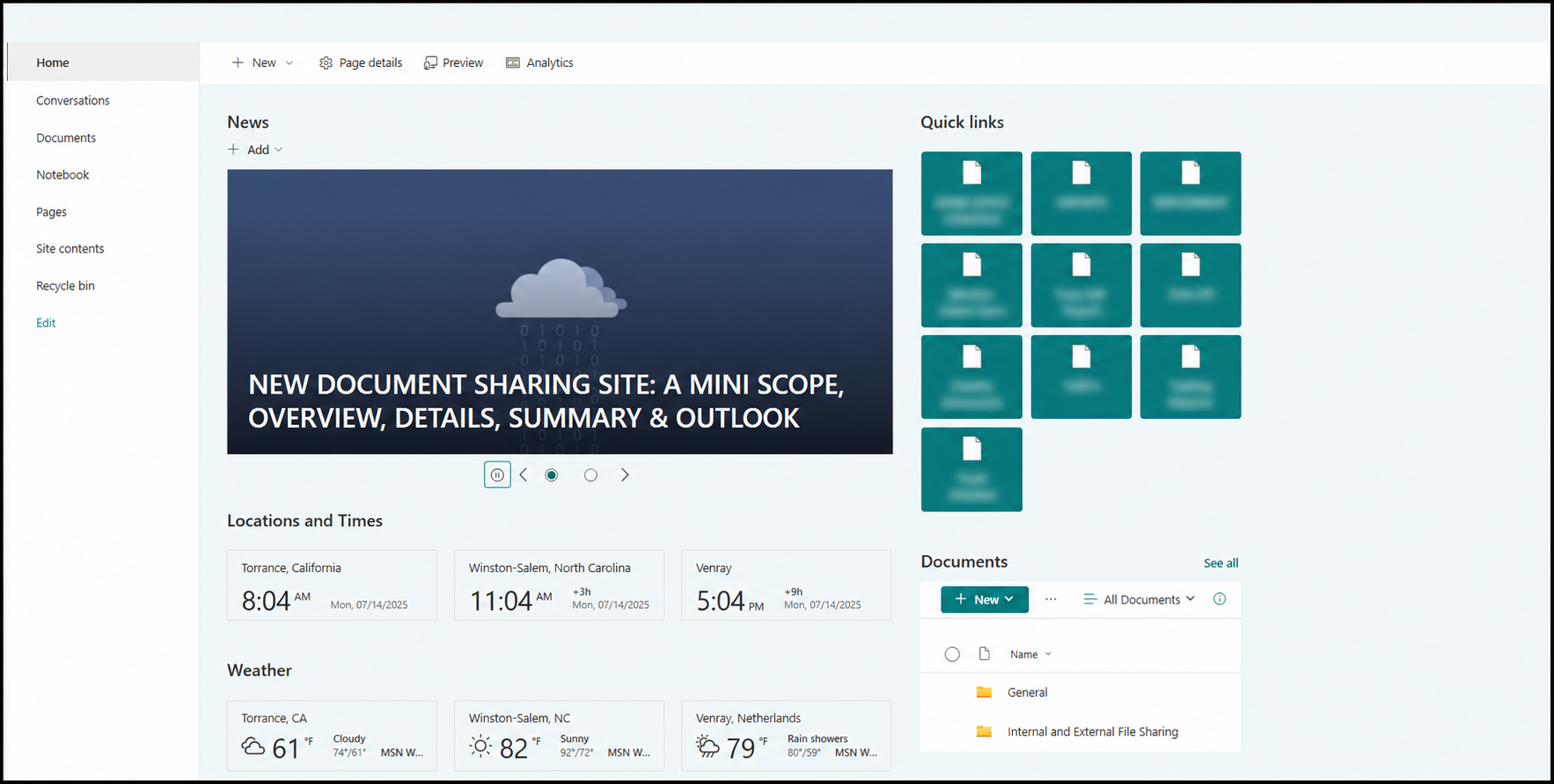
🌐 Enterprise Document Management Transformation
Business Challenge
Multiple logistics teams and global regions relied heavily on email attachments and disconnected file storage, making it difficult to locate current documentation, collaborate efficiently, and maintain consistent visibility across shipment workflows. The department needed a centralized solution that improved document management, streamlined collaboration, and supported future growth.
My Role
Designed and implemented a centralized SharePoint and Microsoft Teams document management ecosystem, including information architecture, permissions planning, documentation standards, user training, and change management across multiple logistics functions.
Solution
Designed and launched a centralized SharePoint-based document management platform integrated with Microsoft Teams and OneDrive to modernize document sharing and collaboration. Developed the site's information architecture, regional folder structure, permissions strategy, onboarding documentation, and training materials while supporting users throughout adoption. The solution replaced fragmented email-based file sharing with a cloud-first workspace that improved accessibility, organization, and collaboration across logistics operations.
Impact
Centralized logistics documentation into a single cloud-based platform.
Reduced dependence on large email attachments through shared document libraries.
Developed and rolled out a self-service Certificate of Analysis submission process, training external manufacturing partners and enabling internal laboratory teams to access documentation without manual coordination.
Improved visibility and accessibility of operational documents across multiple regions.
Created reusable documentation and training resources that supported user adoption.
Established a scalable foundation for future document management initiatives.
Organized information.
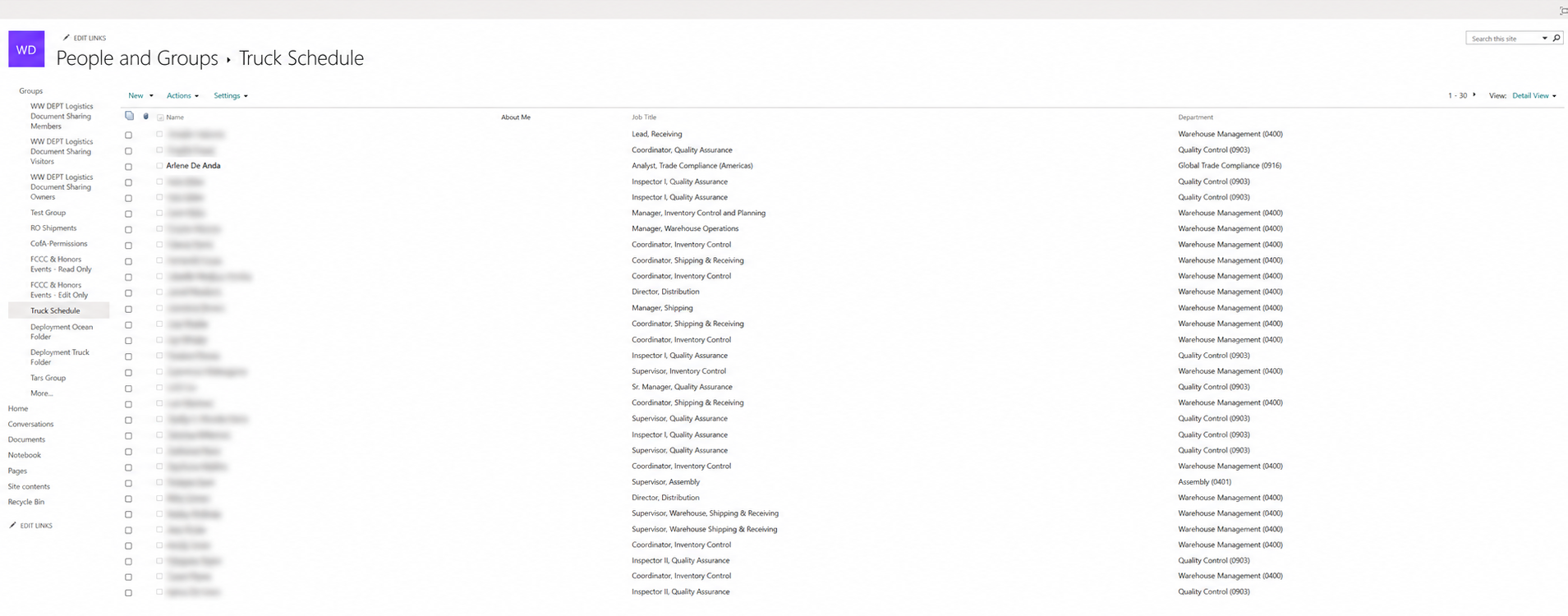
🌐 Global Logistics SharePoint Portal & Data Governance
📦 Operational Shipment Management Dashboard
Business Challenge
Managing dozens of concurrent domestic and international shipments required constant coordination across multiple transportation modes, documentation requirements, and shipment statuses. Existing manual tracking methods made it difficult to quickly determine shipment progress, prioritize work, and maintain consistency while handling a high volume of active shipments.
My Role
Designed, built, and continuously refined a centralized Excel-based shipment lifecycle tracker that supported daily logistics operations, shipment visibility, workflow organization, and process standardization across multiple transportation scenarios.
Solution
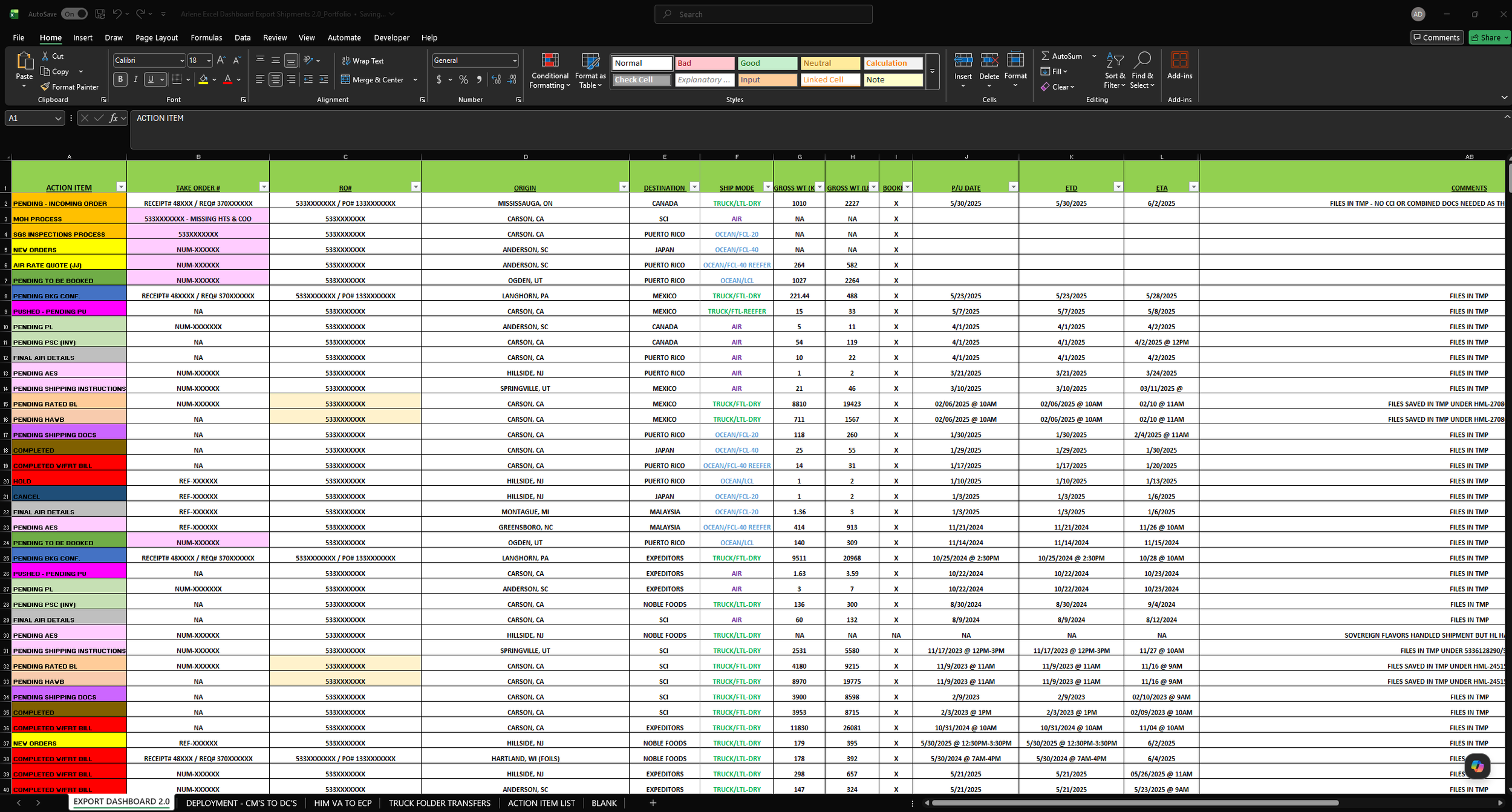
Developed a flexible shipment tracking dashboard using Microsoft Excel that served as the operational hub for monitoring active shipments throughout their lifecycle. The dashboard incorporated color coding/conditional formatting, structured workflows, data validation, standardized dropdown lists, and multiple workflow variations tailored to different shipment types while remaining simple enough for daily operational use. It was designed to complement the department's paperless document repository and streamline shipment management.
Impact
Managed and organized 40+ simultaneous shipments across domestic and international logistics operations weekly.
Improved operational visibility by creating a centralized tracking system that clearly identified shipment status and next actions.
Reduced manual effort through standardized data validation, reusable templates, and structured workflows.
Increased efficiency by allowing shipment information to be quickly referenced, updated, and transferred into emails and supporting documentation.
Created a flexible framework that could be adapted for multiple logistics workflows without increasing complexity.
Tools Used
Microsoft Excel
Data Validation
Conditional Formatting
Drop-down Lists
Workflow Design
Organized operations.
📦 Operational Shipment Dashboard & Status Tracking Logic
⚙️ Drawback Automation using Power Query
Business Challenge
Preparing drawback documentation required manually consolidating export data from multiple operational sources into a standardized master dataset. The repetitive copy-and-paste process increased processing time and created opportunities for formatting inconsistencies and human error.
My Role
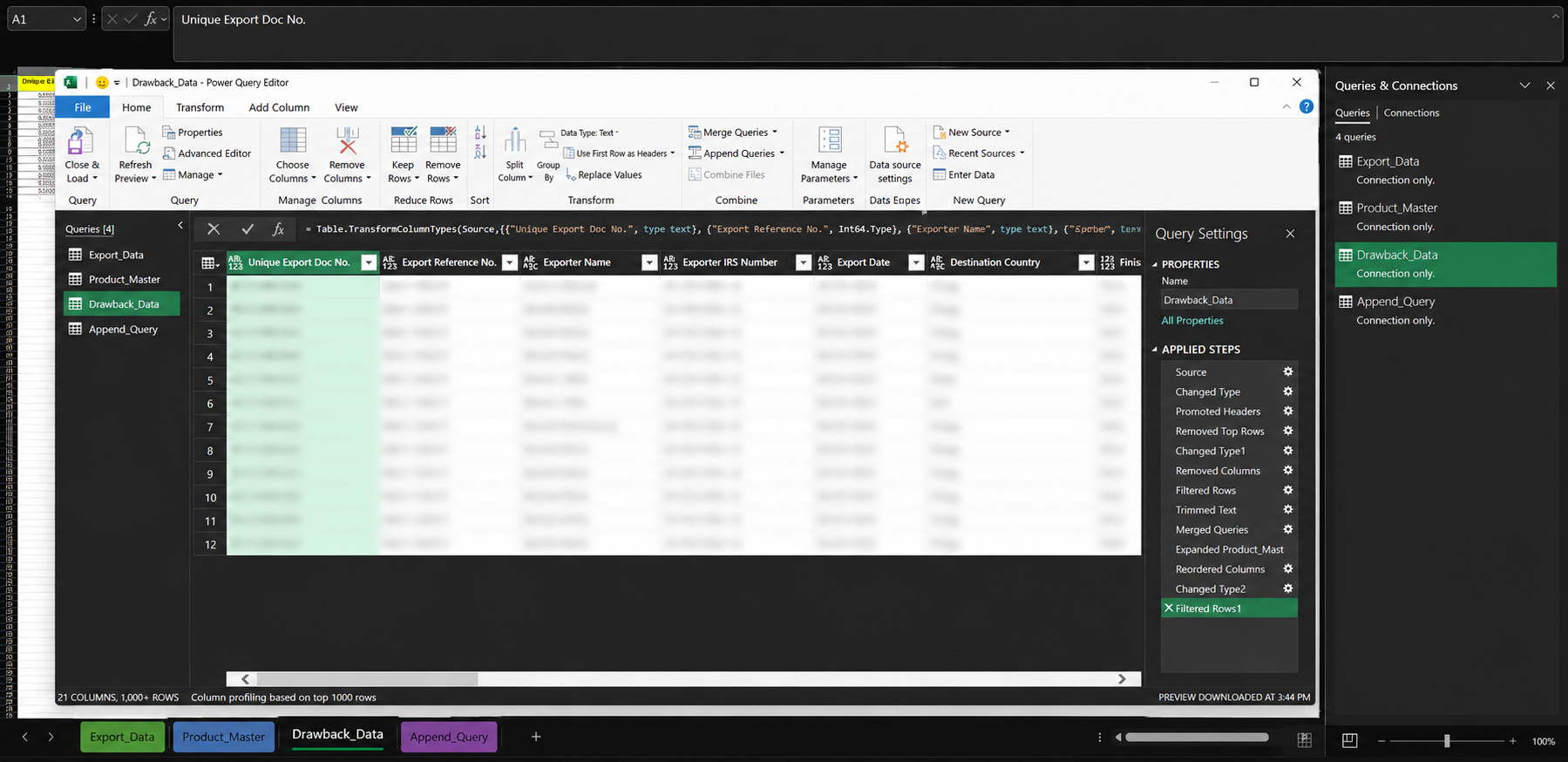
Designed and implemented an automated Power Query workflow that consolidated drawback export data into a standardized master workbook while improving data consistency and reducing manual effort.
Solution
Developed a Power Query solution that automatically appended multiple export datasets into a centralized master table using standardized column structures. Built a repeatable refresh process so new export records could be incorporated with a single refresh rather than manually copying data between worksheets. During development, researched, tested, and refined the workflow to resolve data alignment issues and create a reliable automation process.
Impact
Reduced repetitive manual copy-and-paste work through automated data consolidation.
Improved consistency by standardizing export data into a single master dataset.
Created a repeatable workflow that simplified drawback reporting and reduced opportunities for manual errors.
Established a scalable foundation that could accommodate additional export datasets with minimal effort.
Tools Used
Microsoft Excel
Power Query
Data Transformation
Query Append
Data Validation
Process Automation
Automated repetitive work.
⚙️ Power Query Logic
Note: All screenshots have been sanitized to remove confidential operational information, employee information, and other proprietary business data.